|
||||||||||||||||
 |
 |
 |
 |
 |
 |
 |
 |
 |
 |
 |
 |
 |
 |
 |
 |
 |
 |
 |
 |
 |
 |
 |
 |
 |
|||||||||
 |
 |
 |
||
 |
||||
 |
||||
 |
 |
 |
||
 |
||||
|
|
|
RPManager Forum: Forum link - it's on an external site (jellybiscuits.com) don't be alarmed Hopefully a site that eventually will have some useful information... WHAT'S NEW September 7th 2026: 3dsmax 2027 compile of RPManager:http://www.rpmanager.com/RPManager_Download_v7.htm
May 3rd 2023: 3dsmax 2023 compile of RPManager:http://www.rpmanager.com/RPManager_Download.htm Plugin compiles for 3dsmax 2023: VirtualSegment on the OtherGear page July 20th 2022: Plugin compiles for 3dsmax 2022: VirtualSegment on the OtherGear page August 13th 2020: Version 7.07 with Vray 5 and 2021 support 3dsmax 2021 does not require a recompile of plugins, so the RPM or 2020 works, so this is mainly an updated installer. Much improved UI support for VRay 5 June 22nd 2019: New licenses are required for version 7.0, more information is on the Purchase page. Any licenses purchased in the past year quality for a free upgrade. This is just the second paid update for RPManager in over 16 years. Plugin compiles for 3dsmax 2020: VirtualSegment on the OtherGear page January 13th 2019: Builds for 2019 have been available on the forum for quite a while, but finally now on the downoad page: January 13th 2019: Plugin compiles for 3dsmax 2019: TranslucencyMod September 20th 2017: Plugin compiles for 3dsmax 2018: TranslucencyMod Tuesday 20th June 2017: Forum is up again, though I couldn't get it working on the RPM site, now off-site:
Logins haven't been recreated, but this time you can self-login so lets see how that goes. Sunday 18th June 2017: A compile of RPManager is available for 3dsmax 2018, from the download page:
Sunday 30th May 2017: The forum is currently offline - no idea why as yet, but I suspect I'll need to rebuild with something more modern, since it was a 2005 version of yabb...
Sunday 29th January 2017: Version 6.16 of RPManager is now available to download, with fixes for vray support specificallly unknown exceptions when changing passes, and support for 3.4/3.5 bucket mode 'fixed' and 'bucket' samplers.
Wednesday 28th December 2016: Version
6.14 of RPManager is now available to download, with 3dsmax 2017
support. It's been availabe on the forum for a while, now linked on the
main download page: Also some plugin compiles for 2017: TranslucencyMod Wednesday 12th August 2015: Version 6.051 of RPManager is now available to download, post 3dsmax 2013 only: Some deadline submission fixes Monday 1st June 2015: Version 6.047 of RPManager is now available to download: Faster layer restoration, 3dsmax 2016 installation option. Tuesday 10th February 2015: Version 6.041 of RPManager is now available to download: Fixes the override materail erroring when assigning, and has some fixes for vray camera path rendering - RPM was optimising the frame range which was messing up the vray caching. Wednesday 30th October 2014: Version 6.037 of RPManager is now available to download: Main bug fix is a BB submission error, check the download page for updates. (Ignore the mismatch between 6.036 in the notes and 6.037 in the release) Wednesday 20th July 2014: Version 6.031 of RPManager is now available to download: Mainly bug fixes, check the download page for updates. Wednesday 18th June 2014: 3dsmax 2015 plugin recompiles: TranslucencyMod Tuesday 17th June 2014: 3dsmax 2015 plugin recompile of BlurVColor available. Monday 16th June 2014: Some more 3dsmax 2015 plugin recompiles are available available in the other gear section of the site - Transmographier, Betterwind, and FrameInfo. Tuesday 2nd June 2014: Saturday 3rd May 2014: First 3dsmax 2015 plugin recompile is available - Tension. Tuesday 18th February 2014: Wow, it's been over a year since I've posted an official build? Quite a few builds were linked on the forum over that time (I hasten to add) and there should be a new build in a few days - but I've been saying that for so long now I figured I'd just put this one out there.Check the notes, this one has quite a few features and bug fixes, notably a first pass at Vray3 support. Sunday 10th February 2013: RPManager update - 5.06 Updated 2013 build for floating license issues Some plugins have been updated for 2013 - Tension, Betterwind, MapToVColor, BlurVColor, SplineMesher. Get them on the Other Gear page.Wednesday 1sth August 2012: RPManager update - 5.04 Initial 2013 build RPManager update - 4.67 Fix for capturing postition/rotation/scale at the same time Thursday 12th January 2012: RPManager update - 4.64 Updated 3dsmax 2012 support, vray 2.0 additional support Some bug fixes. Monday 30th May 2011: RPManager update - 4.608 3dsmax 2012 support, vray 2.0 support, etc. It's been available on the forums for a while, I haven't heard any complaints about the most recent build so it's being upgraded to an official release. Note that for mental ray support of the RPMMaterial, you'll need to copy the rpmmaterial.mi file into the new location (I just realised that it has been moved. Not sure what the new location does but add work - the next build should have it's auto install of this file updated). Tuesday 22th June 2010: RPManager update - 4.537 IMPORTANT BUGFIX FOR 4.536 I managed to introduce a bug in 4.536 which would hose your output setup data, if you used the output setup dialog. Please update to this if you have installed 4.536 and post if there are any issues with 4.537. Monday 14th June 2010: Fix for Command line BB submission for 2011, windows 7 fixes for some dialogs text edit fields not showing text correctly (the create visibility set dialog and output path inspector), support for vray render region disabling on submit, misc fixes. Wednesday 12th May 2010: RPManager update - 4.525 Vray 1.5 SP5 and Deadline4 (updated from prime focus' support) Thursday 25th April 2010: RPManager update - 4.523 It's been a while since an official update (a number to the forum in the interim), but here it is. Note this version has updated plugins - RPMdlx.dlx and RPMPropHolder.dlo. Multiple cameras per pass added for
stereo support - up to 3 (left, right and center) with some anaglyph
preview support. Installer updated for '2011'. Thursday 29th July 2009: RPManager update - 4.212 Adding an object to an existing capture set wasn't initialising the captured data correctly. Nothing to do with the fixes in 4.211, this is a fix for an apparently incomplete fix in 4.177. Wednesday 29th July 2009: RPManager update - 4.211 Updated Deadline3.1 for SP1 support files, 2010 Design BB submission fixes, Vray RT update, other bug fixes/tweaks. Friday 15th May 2009: RPManager update - 4.205 Updated Deadline3.1 support files, Vray post-preview speed optimisation, minor tweaks. Sunday 14th April 2009: RPManager update - 4.201 Fix for 2010 BB submission - if you don't use the Backburner 'submit to 32/64 bit' you can ignore this update. Sunday 13th April 2009: RPManager update - 4.2 3dsmax 2010 version. Some other tweaks and bug fixes. Sunday 29th March 2009: RPManager update - 4.182 Vray 1.5 SP3 update, also multiple vray vfb previews no longer create duplicate vray vfb windows. Monday 20th January 2009: RPManager update - 4.177 Custom warnings, bug fixes. This has some important bug fixes for property capturing and if you are not in the middle of a project is a recommended update (see the update notes on the download page) Monday 27th October 2008: RPManager update - 4.171 Deadline3 support, via the custom submit system - it calls external scripts (ie user editable), in this case the Frantic submission UI. Also, FolderGit updated to 1.15 - support for Fusion5's non-custom browse dialogs (ie if you turn off the default custom ones). FG was ignoring the standard dialogs for Fusion. Thursday 9th October 2008: FolderGit new directory navigation shortcut utility for windows (not a 3dsmax plugin, but aids 3dsmax workflows as much as fusion or any other app). Supports x64 as well as 32 bit windows. Free for RPM licensees, personal and non-commercial use. Check it out, there is a quicktime there of basic usage. It's been in use for a while in production, but given adding features along the way there may be bugs in this version, feel free to let me know if you come across any. Saturday 28th June 2008: RPManager update - 4.157 2009 SP1 support update - command line submit to Backburner was broken by the service pack. FinalRender Render Element UI's are exposed in the RPM Render Element Rollout, and various bug fixes. Worked around a 64 bit max bug with Custom Attributes used by the Qube submission system. Saturday 2nd June 2008: RPManager update - 4.153 A few bug fixes for the Viewport Preview tool, and a new feature: Viewport preview utility
now has a resolution override as an option to the percent of frame:
apart from the ease of absolute control this means you can output a
different aspect without having to change your base settings. ie if
your setup is 2048x1556, but your dailies need to be a vertically
cropped 864x480 you can have the viewport preview tool output this
without having to mess with the final output size (since it is
different aspect percent is not enough). Saturday 24th May 2008: RPManager
update - 4.151 Small but important update in
the Qube submission. Read the notes on the download page for more info. Wednesday 21st May 2008: RPManager update - 4.15 . Resizable columns in the main pass list; updated viewport preview tool allowing simple playback and output to avi (among other updates); scripted (wildcard) visibility sets; pass renaming tool, pass range managing tool; bug fix for command line BB submission from 2009; easily update pass settings with current scene settings. I've also introduced some screen captures with audio. I've been told I'm often unintelligible so make of them what you can. I intend to redo the existing tutorials as well as finish of the rest of them using this format so I imagine they will get better. For now: Viewport
Preview Tool - part 1, basic operation. 7 minutes 1280x1024,
17.5meg Quicktime. Viewport
Preview Tool - part 2 , playlist manager. 2m45s 1280x1024,
5.5meg Quicktime. Resizable Pass Columns 39s 1280x1024, 990k Quicktime. Pass Renaming Utility 1m23s 1280x1024, 1.5meg Quicktime. Time Range Manager 3m 1280x1024, 2.7meg Quicktime. Pass Property Updater 1m57s 1280x1024, 3meg Quicktime. Scripted
(wildcard) Visibility Sets 2m08s 1280x1024, 4.8meg
Quicktime Wednesday 25th April 2008: Updates for 2009 (32 and 64 bit) for RPManager and many other plugins. Another
RPManager update - 4.12 . Vray SP2 support now
includes new Render Element properties, and viewport preview tool has
some fixes/features. Wednesday 23rd April 2008: Updates for 2009 (32 and 64 bit) for RPManager and many other plugins. RPManager
for 2009 available for both 32 and 64 bit.
Includes vray SP2 update. BlurVColor - this has a new feature in 2009 to convert a stack vselection to vertex colours. There is a quicktime demo of this on the page. ColorPolyByVerts - this is now free Translucency
(this one hasn't been updated for a while) Sunday 13th April 2008: RPM USB dongle purchase options updated with postage choices, and allowing multiple dongles to be purchased with just one mailing charge for a single location, info here. Monday 7th April 2008: RPM usb dongles available - floating or node locked to the dongle, info here. 5 new free plugins: Tension (modifier) updated: new tension algorithm, bug fix in blur, removed licensing (not free but no limitations/codes/license files). Here. Quicknav updated to .NET controls from activeX. Here.
Thursday 17th January 2008: 4.026 and 3.603 released. Support for Brazil2 release, some minor changes in the release version broke RPM integration. Get the updates here. Wednesday 19th December 2007: Significant updates of RPManager: 4.023 and 3.602 released. Biggest change is
probably USB dongle support. Node and floating licenses. There is no
way to order the dongles themselves yet, but there will be when I get a
new page up on this site. These builds have the support implemented,
there is a new plugin and a .dll for the root of the 3dsmax directory. Other changes include updated for 3dsmax 2008, updated for vray 1.5 release and 1.5 SP1 release, and updated 64/32 bit support for backburner submissions (as well as a hefty speed increase with the RPM backburner network tab when large numbers of slaves are available). Get the updates here, the notes on the page list the changes. Thursday 4th October 2007: Betterwind recompiled for R9, both 32 and 64 bit. Get them here Thursday 30th August 2007: ExtendedMultipassMotionblur recompiled for R9, both 32 and 64 bit. Get them here Wednesday 8th August 2007: ColorPolysByVerts updated for max 9, both 32 and 64 bit. Get it here If anyone needs the ones I haven't yet updated email me. Monday 1st August 2007 SIGGRAPH 2007 SPECIAL: any number of full licenses @ US$200 from 1st August to 31st August 2007. Simply use the standard special offer paypal cart on the page linked below to purchase multiple licenses. Wednesday 4th June 2007 3.9095 released, for R8, R9 and R9_64, and 3.594 released for R678, R9_32 Wednesday 11th April 2007 3.9085 released, for R8, R9 and R9_64 Important bug fix for object property restoration where mousing down in the pass list, then releasing with the mouse outside the pass list would not correctly restore a pass. .NET version only, this fix does not affect 3.5x. List sorting for layers, layer sets and visibility sets in the Visibility columns RC menu. Support for Frantic Films 'Amaretto' Gelato renderer connection - for 3.9085 (R9 .NET version) only. Deadline auto quicktime generation overhauled, it was out of date with the latest deadline. Should work now:) Many other updates - check the history at the bottom of the download page. Sunday 1st April 2007 FrameInfo fix, R678, R9_32 and R9_64, script keys were not being evaluated at the current frames time for sequences. Saturday 3rd March 2007 3.9072 released, for R9 and R9_64, the fix I put in to allow redefining a set based on what is visible messed up restoring the currently selected pass by clicking in the list - new solution in place. Thursday 1st March 2007 3.9071 released, for R9 and R9_64, small UI bug fix when clearing a visibility set assignment, and vis set restoration will no longer stop you redefining the current set by what is currently visible.
Wednesday 28th February 2007 3.907 and 3.5918 released, for R9 and R9_64
Xref support fixes. Some .NET fixes in the 3.9x version. Thursday 22nd February 2007 3.9063 had a corrupt file in it, installer has been replaced so please re-download, for R9 and R9_64
Saturday 17th February 2007 Updated versions of RPM, for R9 and R9_64, 3.9063 Auto build paths was not working, and horizontally scrolling a listview (ie the output path inspector/editor) was not detecting the scrolling for RC menu cell detection. Also support for changes in Final Render SP3. Updated version of RPMFrameInfo again to 1.12, for R678, R9 and R9_64: the #frame value was not rendering the correct frame number on network renders. Friday 16th February 2007 Updated version of RPMFrameInfo, for R678, R9 and R9_64 Just a bug fix for the stamping transparency value - was not storing/restoring, and could restore 0.0 in certain circumstances. Thursday 25th January 2007 Updated versions of RPM, for R8, R9 and R9_64 3.59153 for Pre max9, and optionally max9 under windowsXP 32 3.9059 for windowsXP x64, or optionally max9 in windowsXP 32 Thursday 11th January 2007 Evaluation license of RPManager has been changed to be unlimited in duration, rather than the 30 day license it was before (same license is supplied, it doesn't time-out). So - if you like you can use the 2 pass version of RPManager as much as you like, 2 passes is a little like having the old draft/production modes back so is not entirely without use. I'll eventually roll the personal/evaluation license together as they are effectively the same thing now, for the moment I've just adjusted the license agreements in the personal/evaluation license installers. Monday 20th November 2006 Some max 9 updates - only change is 64 bit versions in the installers of: Wednesday 26th October 2006 Frameinfo updated - this one has both the 32 and 64 bit in the installer. Tuesday 24th October 2006 Some max 9 updates - only 32 bit versions at the moment, 64 bit versions to come: Friday 20th October 2006 New RPManager 3.5904 posted - First 3dmax9 compatibility release (32 bit only - 64 bit to come). This has a BIG BAD BUG fix in it for RPM object property use - see the history at the bottom of the download page. Note you will need to request a new license for RPM for max9 (excluding the limited personal an eval licenses, they should be fine) Thursday 24th August 2006 Update tension modifier to 0.14 - minor tweaks. Tuesday 16th August 2006
New RPManager 3.50832 posted Monday 31st July 2006 SIGGRAPH 2006 SPECIAL: any number of full licenses @ US$200 from 31st July to 31st August 2006. Tuesday 6th July 2006 Transmographier 1.01 updated to allow using the reference nodes vertex selection to mask the result. Tuesday 4th July 2006 New RPManager 3.508 posted
Wed 15th June 2006 New RPManager 3.505 posted (Render element restoration fix for Mental Ray) Wed 14th June 2006 RPMMaterial Mental Ray Compatibility Installer posted, for 3dsmax7 and 3dsmax8. Run this on both your workstations and (renderboxes) to install the .mi file. If you use the 'Remove RPMMaterial at render time' option in the RPM object property global settings this shouldn't be needed. Wed 31st May 2006 New RPManager 3.504 posted (5.03 which was up for about 5 minutes had problems) Monday 29th May 2006 New RPManager 3.502 posted Friday 5th May 2006 It's not a beta any more
Saturday 29th April 2006 Shadow pass plugin updated again - MR shader was artifacting on multiple-cpu/core machines. Installer should now be named ShadowPassSetup_1.02.exe. Note this was just a MR shader update, the 3dsmax material is unchanged. Quick Tutorial 11 - Save/Load render elements is up. RPManager
Project List Friday 28th April 2006 Shadow pass plugin updated - MR shader required .NET 2.0 framework, recompiled to not require it. Redownload (might need to force a refresh on the page), installer should now be named ShadowPassSetup_1.01.exe. Wednesday 26th April 2006 New Free Plugin - ShadowPass - material for shadow catching, somewhat more versatile than the Matte/Shadows shadow catching ability (support for coloured lights in your scene). And just a heads up, the beta will cease to be the beta and become the Release Version on the 1st May 2006.
Monday 24th April 2006 New Free Plugin - RPM Frame Info - render effect to stamp useful information on your frames. New RPManager Beta, 3.47789 - UPDATED to 3.47789
Monday 25th March 2006 New RPManagerLite, 3.2254 - mental ray with >7.0 3dsmax version compatibility fix, just a UI bug. Monday 9th March 2006 New RPManager (Release), 3.2274 -fixed a problem with the xref rollout not opening. The new beta UI stuff is in there, but it is greyed out as it is not applicable to the non-beta version.
Monday 27th February 2006 New RPManager Beta, 3.47783 - UPDATED to 3.47784
Tuesday 23rd December 2005 Friday 10th December 2006 Tension modifier node locked licensing changed so for the $20 you get up to 4 licenses. RPM licensees still get a site license. Wednesday 17th December 2005 Updated PasteVertexBuffer for 3dsmaxR8 - the script component needed a tweak for some R8 changes. Tuesday 15th November 2005 Saturday 24th September 2005 This has a rewritten object property capture system with a new material plugin, and is up to 100x faster than the old system. NOTE: Not backwardly compatible with the old system - it will convert an older scene to the new system, but you cannot go backwards without removing all object property capture data. Friday 23rd September 2005 New version: 3.2236 is available for download for the Full version. New version: 3.223 is available for download for the Lite version. Download latest production versions here. ALERT: a potiontial problem with the viz extension for 3dsmax 7.5 has been discovered - not necessarily RPManager related since it is reproducable in a scene with no RPManager data in it: if you are crashing on autosave, especially after opening a new scene, consider uninstalling the viz component of 3dsmax 7.5. I'm looking into this further, but it looks specific to just the 7.5 viz extension so far. Notes for 3.223x from 3.2195: FEATURES Support for 1.0.1 of splutterfish's OpenEXR bitmapIO plugin. Support for the new Scene States in 3dsmax 7.5 (viz extension) - this is via the Visibility Sets RC menu, you can have a Visibility set, Layer, Layer Set and now Scene State assigned. Use the 'Auto Capture Scene State...' option in this RC menu to have the scene states auto synched with your edits. Added auto path output for mental ray .mi export. (full version) Holding Alt while clicking the 'Duplicate Pass' button will duplicate visibility sets too, auto renaming them. Added a 'Duplicate Visibility Set' option to the vis sets RC menu. The 'Rename Set Based On Pass Name' now checks to see if a set of that name already exists. Added 'Enable Split' to the commandline rendering options. Object Properties Inspector now optionally shows capture set override materials. (full version) TWEAKS The preview button group no longer flashes when you click on a pass in the main list. Force update of lights when object properties restored - it was restoring the values for rendering but the viewport display was not updating. (full version) Light Projector Map added as a capturable light property. (full version) Added a 'Layer Vis Controlled By Head Only' to the RPM preferencs. When you are using layers or layer sets to control visibility this toggles between the existing behavior where the individual objects are still hidden/unhidden, to just controlling the layer hidden/unhidden state. The not hiding/unhiding nulls/cameras/lights doesn't work with this mode. Holding Alt when selecting passes suppresses camera viewport restore. Auto build paths now significantly faster for many passes being submitted. Backburner can sometimes fail to return existing pass names, so if a pass fails to submit a second attempt is made with a unique string attached to the pass name to avoid failures due to BB reporting. If a Multipass camera effect has animated total passes RPM no longer tries to restore this value - so if you are animating your steps in response to motion in the scene this will not be overridden. Note that no restoration of this value, animated or not, takes place at this stage. BUGFIXES Per Capset override material handling improved markedly. Converted brazil version passes could error on delete/duplicate. Saving/loading RPM data was hosed (still). Redefining a capture set as all visible objects no longer ignores frozen objects. Particle flow objects should work again when added to a capture set. Friday 22nd July 2005 The special offer for Brazil users has been extended to everyone: purchase your first RPManager license for $100 off the regular price. Existing license owners who haven't taken advantage of this already are eligible to purchase a single extra license for the same discount. Thursday 10th February 2005: RPManager is pleased to offer a special upgrade price for RPMBrazil users for their first license purchase - check out: http://forums.splutterfish.com/blog/archives/000598.html Sunday 23rd January 2005: New version, and compatibility fix for XPSP2 with activex controls Version 3.2195 of both RPManager and RPManagerLite Available from the download pages. FEATURES New Object Properties inspector/editor. Spreadsheet-style - this is a Work In Progress, unfinished but functional enough to be very useful. (Full only) TWEAKS Output format was not being set when using the non-auto-generated Auto Paths option: not sure why I set it up this way, but I've now changed it so the format parameters set when auto building the path is used. BUG FIXES With Auto Gen Path on submit on RPM was not restoring the specified output format settings correctly. Inspect output paths/formats was not reporting the output settings correctly when using Auto Path Generation on submit. Inspect output paths/formats was not editing the output paths correctly when using Auto Path Generation on submit. Output format was not being set correcly when using Auto Path Generation on submit to set the output properties. Captured Light Multiplier value was not displaying as updating per pass even though it was - fixed. The light intensity as seen in the viewport does not change however, but is fine at render time. (Full only) Material Per Capture Set capturing was hosed - setting one passes override material would set the other capture sets material as well. (Full only) If after using a 3rd party rendering manager you switched back to Backburner without changing to the network rollout and setting up the info submission would fail. (Full only) A layer checking startup function could error in some situations. -- For anyone wanting to use 3dsmax5.1 with windows XP SP2 and any activeX controls (RPManager, the Select By Name Dialog, etc.) you can try this updated plugin: http://usa.autodesk.com/adsk/servlet/ps/dl/item?siteID=123112&id=5064272&linkID=2377704 It is released on that page for VIZ, but works for 3dsmaxR5 as well. Thanks to Richard Annema for the link. Friday 15th January 2005: Some new plugins available - commercial plugins and free plugins, above the scripts section on the Other Gear page. Note the Free Tools page has been renamed to Other Gear as it now holds a mix of free tools and commercial plugins. ColorPolysByVerts Friday 26th November 2004: RPManager 3.2192 Full Available. No new features, but a rather nasty bug with RPM and 3dsmax7 fixed. Bug fixes: Having object properties in the scene and adding or duplicating a pass would destablise 3dsmax7 (not a problem for R6 or R5), this build fixes that. Disable VFB in the backburner overrides was not forcing the submission into command line mode. Remove objects from visiblity set by name (in the visibility sets manager) was broken. Save RPManager data was broken. Monday 25th October 2004: RPManager 3.215 Full and Lite now available from the download pages. This version is compatible with 3dsmaxR7 (as was 3.13 but it says so in the installer too now:) This is a fairly major update for the full version with reworkings of object properties for speed improvements, support for particle flow properties, among others - so I would not recommend upgrading in the middle of production if the current version is working for you. Features Auto path generation on submit now can have the path and the output type disconnected separately - use the 'Local' checkboxes, one for path and one for output type, to toggle whether this setting is global or local to the pass. When previewing, hold the Control key when clicking the preview button to skip restoring the camera view (so preview whatever viewport is active.) When previewing, hold the Shift key when clicking the preview button to skip restoring the Visibility sets. Can be combined with the control override. Added an option to only restore/capture object properties on visible objects in the scene. If you are using inherit visibility this may be a problem, but otherwise this can speed up interactivity considerably. Also this can trigger the instanced material warning more often. Added a 'Disable Refs System During Capture/Restore' checkbox to the object properties global settings. This defaults to off (for the moment), but can speed up certain operations many times, ie adding an object to a set that has a slow-to-update stack can go from upwards of 10 seconds to less than 1. Turn this on to try out the new feature; BUT if you find that you can no longer move any objects in your scene immediately save incremental, restart 3dsmax, reopen the scene and turn off this feature, and please send me an email describing what you were doing so I can fix it, as this on by default is desirable. Save/Load custom output setup for user defined paths enabled once again (main and render element) in the > menus of the Output Setup dialog Particle Flow Node properties supported by the object properties system - for example you can control a material operator nodes material, an events renderable/castshadows/etc. property, and PFSources enabled states per pass. Add Pflow nodes to a set using the new Pflow specific buttons in the Object Properties rollout - note that you select PFlow nodes in the standard PFlow ParticleView, these are what is added/removed from sets. New Visibility Per Pass Feature - Layer Sets. You can create sets of layers, and all the layers in a set contribute to object visibility for a pass. Create Layer Sets from the VisibilitySets menu, and assign from the Visibility Columns RC menu (the 'Assign a Layer Set...' submenu.). Assigned ayersets are prefixed with "LS:" in the visibility set column. Added an 'Ignore group headers when adding to capture sets' as the group header dummies are not always desired and will slow things down. Added warnings about the state of the render-time restore object properties, visibility sets active and run before/after scripts to the Render Alerts. The Visibility Sets Active (Viewport) setting in the global viewport preferences is now disconnected from the 'Restore render Params (Always for Render) checkbox so you can have just visibility sets (and camera assigned) restored when selecting passes, without render parameters (faster, if visibility assignment is all you want to check) Bug fixes: Object Inspector edit params no longer fails on objects with underscores in their names. Save/load renderer presets works again, not merge from scene though. Environment Background Maps mapping modes should no longer revert to Screen on pass restore/add/put. Editing renderer parameters with restore params off no longer errors if current renderer not the same as the passes. Submission warnings for pass suspended was not checking the global submission status. Leftover RPM preview override objects are now automatically deleted from scene when submitting to cater for errors on preview leaving junk behind. Another fix for link UI time to pass range overwriting the range of the pass when holding/saving, and also with multiple passes selected and submitting/auto generating paths. Turned of all link UI timerange edit synching if more than one pass is selected and render range type is 3. Backburner: New scenes now use the same network manager that was used on the last job with RPM. Object property inspector now lists passes in the same order as the main pass list, and what is listed is correct: reordering passes was messing it up. Submit xref scenes merged before submit now works again. Save/Load data was being killed by objects in visibility sets with % or " in the names. Submitting with restore params off for viewports could leave the scene with sceneredraw disabled. Removing an object with a different capture set selected than the one the selected objects were members of would remove the capture data but not remove the object from its set (doh) Previewing, rendering or submitting a pass was incorrectly disconnecting materials in the Medit from objects with captured properties. Now the workflow with the auto capture properties on pass change/preview/render/submit enabled while modifying materials in the medit and previewing as you go actually works as intended. Closing 3dsmax while RPM was docked could give a virtual function call error (didn't do any harm). Selecting multiple passes with Vray motion blur geometry samples different for two or more passes would error if viewing the Renderers rollout. Cancelling removing object properties would error. Removing object properties from a capture set could hose existing captured properties in certain no-so-uncommon situations. The open quemonitor button in the backburner network rollout should now work again - same for the one in the submission complete dialog. Digital fusion load selected passes was failing often to add the image padding. Submitting via commandline with no servers selected will no longer error when it tries to report the problem. Cancelling a preview of multiple passes could end up with the preview progress dialog still visible after the preview was complete. Added code to detect and cleanup redundant captured object data. Restoring visibility sets was always generating undo entries, rather than respecting the setting controlling this in the global preferences. The alerts for output size has been updated to cater for the new(ish) global output size controls. Error when removing light properties and shadowgenerator was a member. Auto capture on pass change was capturing when 'restore object properties (viewports)' was off - too easy to lose your captured data accidentally, so disabled when this is off. To replace one passes capture state, turn off restore properties (either one) go to the pass and use the capture object properties buttons. A captured property was being deleted under certain circumstances, requiring a re-capture to get it working again; fixed. Using the 'select' button when the camera list is showing indeterminate no longer errors. Fix for using Deadline with RPManager and 3dsmax5.
You can set the default for the Shot Prefix field: editing the RenderPassManager.ini file, add to the [Defaults] section: PrefixDefault=<text here>. Do not use quotes, ie PrefixDefault=#scenename_ , or PrefixDefault=RPMShot When the render submission feedback dialog fills up, it auto scrolls to accommodate new feedback entries. Object properties material restoration can be many times faster with scenes with many objects being restored - a test scene of 3000 captured boxes went from 450 seconds to restore down to 19 seconds. The Auto Capture Properties UI control has been changed to a checkbutton and moved below the capture set list - I realised many were not aware the auto capture option existed. Now it is hard to miss. Also moved the 'Restore Properties Active' global setting from a checkbox to a large blue checkbutton - to enable easier disabling of the restore system while materials etc. are being tweaked, to be enabled once that is done (along with a capture). Added an 'are you sure' to removing all objects from captured data sets. Added 'hold escape to cancel' to the preview/local render progress dialog. When deleting a pass, the pass that is left selected is restored to remove the possibility that auto capturing of properties messes up the props for that pass when you then restore a pass. Added some UI workflow options to the object properties inspector - Right click to toggle on/off, shift click to restore, alt click to select the object. Tuesday 14th August 2004: 3dsmax7 was recently announced by discreet at siggraph. The 3dsmax7 version of RPManager/RPManagerLite will be a free upgrade from the R5/R6 versions of RPManager/RPManagerLite. Friday 30th July 2004: RPManager/RPManagerLite 3.13 for 3dsmax R6sp1 and 3dsmax5.1 Features: Single version for R5/R6, the 2.x versions have been retired. Rush
and Smedge support for R5 version of RPManager (Full
version only) Final Render multipass
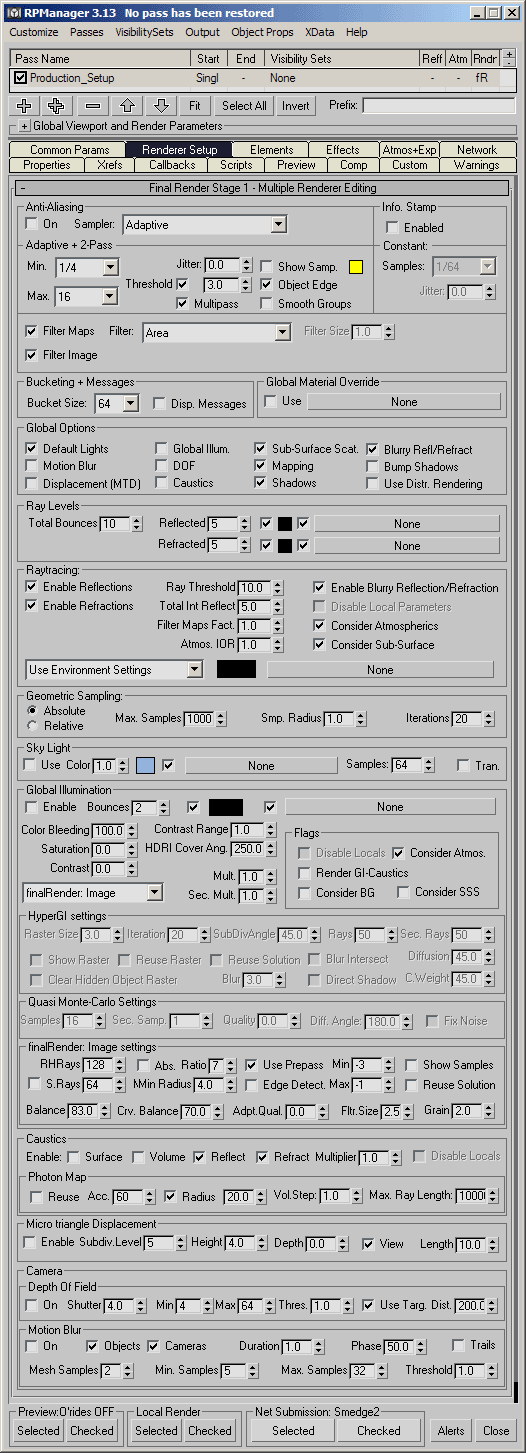
renderer editing support completed (All
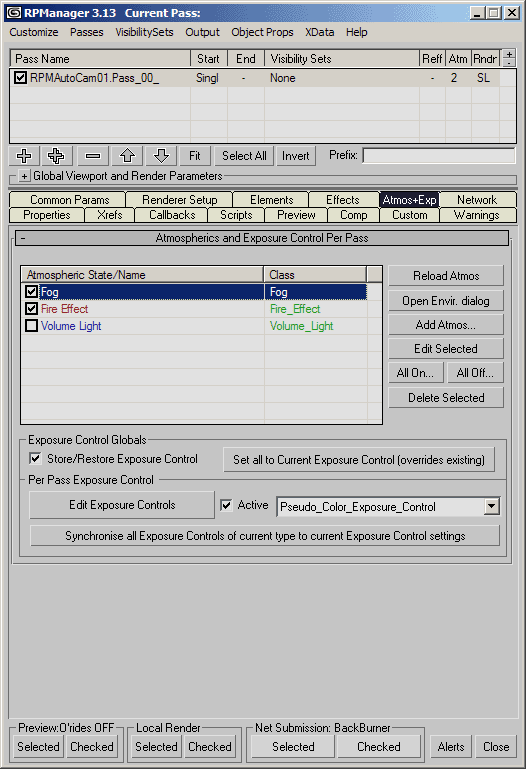
versions) Exposure
controls can now be controlled per pass (Full version only) Enhanced Brazil/Rio preview override support to allows setting the sampling rate to specified values rather than just the 'disable' AA which would set it to 0/0. Visibility
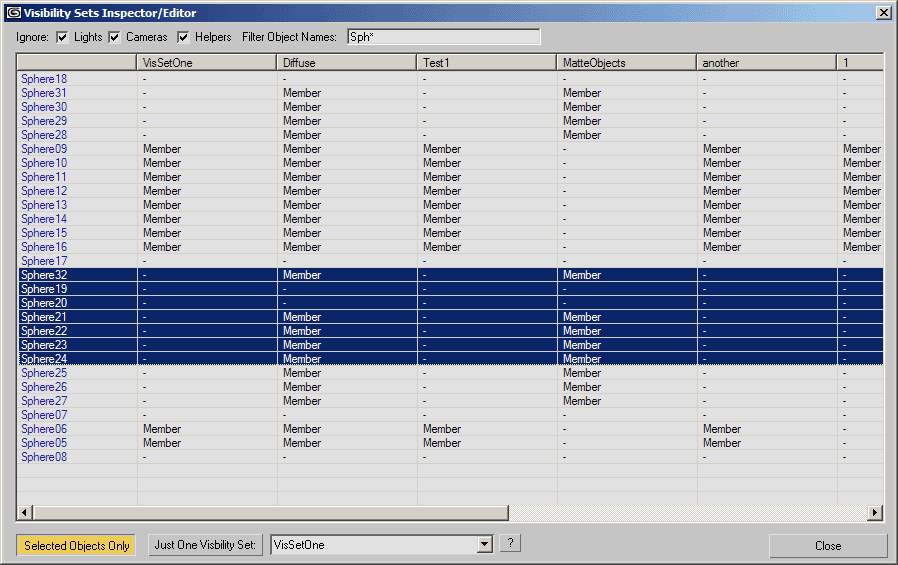
Set Membership Inspector/Editor added (Vis Sets Menu) (All versions) Object
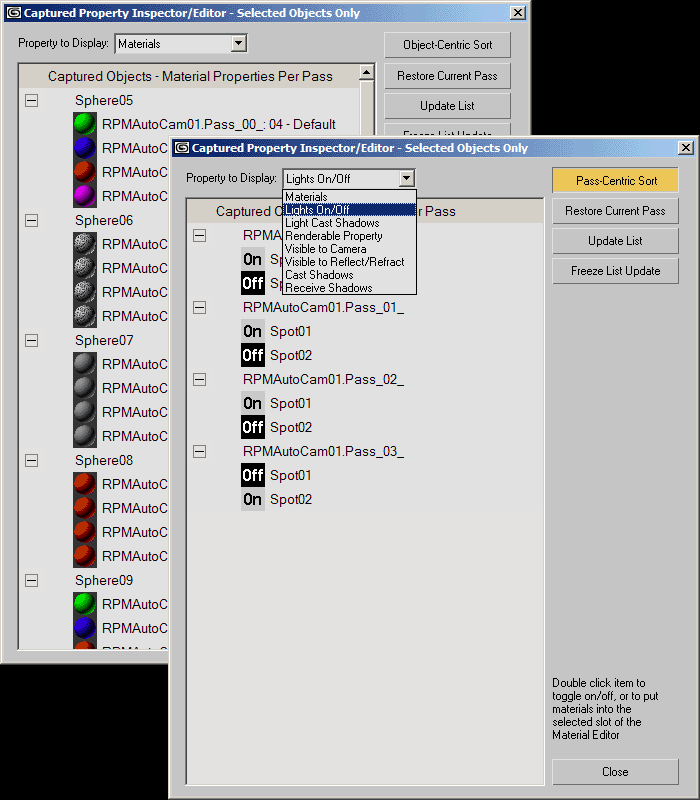
Properties Inspector/Editor added (Object Props menu).
(Full version only) Tweaks: Optimised the speed and display of the 'Renderpassanager render alerts' messages display. Bug fixes: Wednesday 14th July 2004: RPManager 3.122 for 3dsmax R6sp1
available. Bug
fix: Tuesday 13th July 2004: RPManager 3.121 for 3dsmax R6sp1 available. Bug
fix: Monday 12th July 2004: RPManager/RPManagerLite 3.12 for 3dsmax R6sp1
available. Bug
fix: Saturday 10th July 2004: RPManager/RPManagerLite 3.11 for 3dsmax R6sp1
available. After Effects integration updated: RPManagerLite installer updated: Uninstall now removes installed RPManager Menus and Quadmenus (oops) on next startup of 3dsmax. Bug
fixes: Tuesday 6th July 2004: Website update - User Testimonials - have a look at what production users have to say about RPManager. Also a 'Links' page added. Significant updates for all versions of RPManager RPManager/RPManagerLite 3.1 for 3dsmax R6sp1
released. Support
for 3rd party network rendering managers Combustion3
Support After
Effects 6.x Support Final
Render Stage-1 Support Other
New features: Tweaks+Enhancements: Hotkey modifiers when creating
visibility sets
- when picking the 'create visibility set' from the visibility columns
RC menu, holding SHIFT will auto create a set with the same name as the
pass based on selected objects, and holding ALT will auto create it
based on all visible objects Miscellaneous bug fixes - read the update file for specifics Sunday 9th May: FULL RPM: If you are working with mental ray in R6 you may want to try 3.02 which has initial support for mental ray multipass renderer settings editing (pixel sampling only for the moment), and mental ray preview overrides. A more complete MR compatible version will be out soon. It has a bunch of bug fixes over 3.01 but needs more testing so 3.01 is still linked on the download page. Get it on the download page. Saturday 8th May: Updated QuickNav with a bunch of new options. Friday 7th May: Updates for R5 versions of RPM. Version 2.01 released the other day for both Full and Lite installers were incomplete versions and would likely error. They have additional updates beyond what was included with 2.01, see the readme files. Also updaters available as an alternative to full installers. (R6 versions with new updates and new updater in a few days.) Get them on the download page. Wednesday 5th May: New tool in the Free Tools section - QuickNav for quickly getting to the files you want to work with. Check it out. Screenshots and downloads. Monday 29th April: New tool in the Free Tools section - SkinTools: Envelopes 2.0. Monday 29th April: Updates for All versions of RPM
Bugfixes: Monday 26st April: Updates for All versions of RPM Features: Get them on the download page. Tuesday 21st April: Updates for Full versions of RPM - 'Apply'
button in object properties define properties dialog was Get them on the download page. Tuesday 20th April: Updates for Full versions of RPM - error when deleting passes when object properties are captured is fixed. Get them on the download page.
Updates for all versions of RPM - object property fix for light support for full versions, and fix for visibility set restoration when Visibility Sets Active in Global Render Params is off. Get them on the download page. Friday 9th April: Important update for lite versions: Selecting multiple passes no longer errors. Updates for all versions of RPM - backwards compatibility fix with the new output setup. Also for the R6 versions Layer visibility is now overwritten by the RPM Visibility set restoration. Get them on the download page.
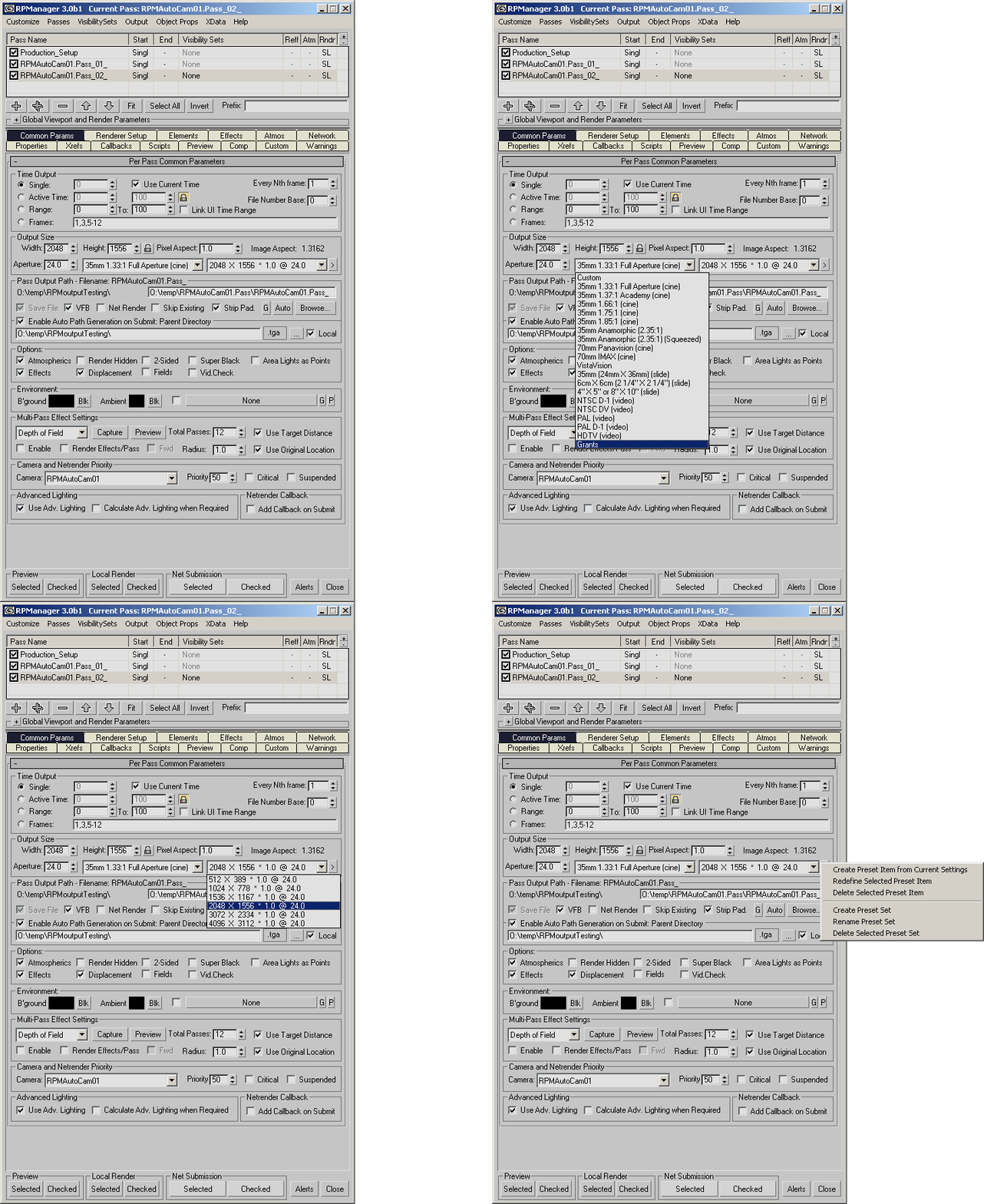
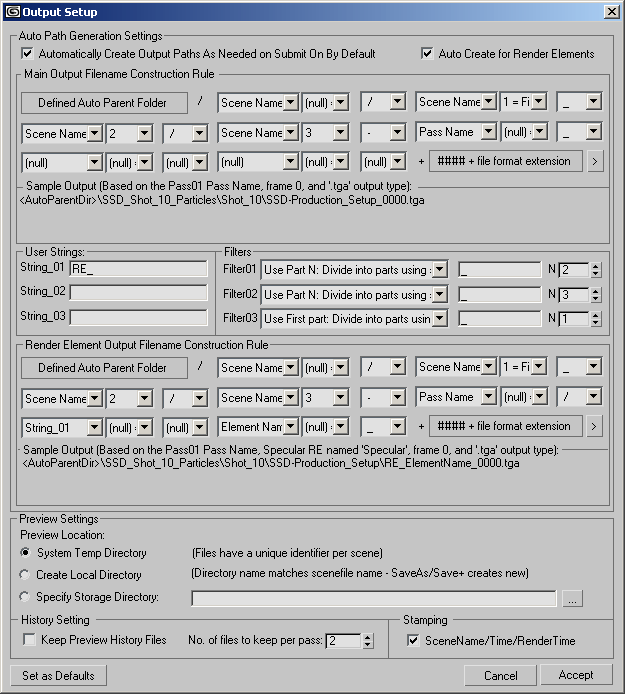
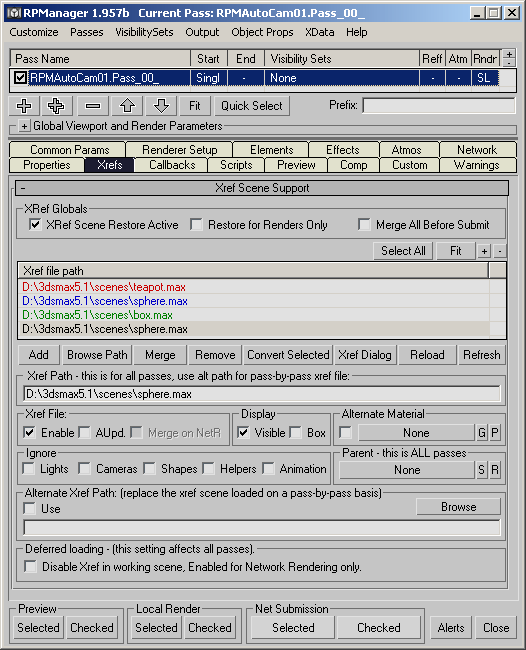
Updates for all versions of RPM - the R5 and both Lite versions have been updated with the new output setup and output size interface elements. Some minor bug fixes for the R6 version. Get them on the download page. Wednesday 31st March: R6 Full version, significant changes: Object properties have been rewritten for 3.0b1. Significantly faster for large numbers of objects, faster for captured materials, more stable, uses less memory. Any object property data from previous versions will be ignored, and when installed and opened in the scene the new version will offer to remove the old data if it detects any - note it does not offer to convert it, so if you cannot easily rebuild it hesitate to upgrade. This does not affect layers, visibilty sets and other setup - just the object property capture sets. Reworked the output size presets - now it uses two dropdowns rather than one + buttons, and you can now save/remove/modify the presets to customise to your needs. Auto Output Path Generation has been reworked to offer a UI to control the structure of the output path. See an animated gif of the modified preset output size controls here, and the Auto Output Path Generator controls here. Get 3.0b1 on the download page. R5 version with the same modifications will be a few days. Light versions of both with the new output size preset setup and Auto Output Generation setup a few days after that. Enabled the purchasing of the Full version of RPManager. Monday 10th February: Updated Help file, updated R5.1 Lite and Full versions, update R6sp1 Lite and Full versions. Get them on the download page. Thursday 5th February: Just a note since it has been very quiet here for a while: the RPM full version for R6 has been delayed, but should be up by the end of the 8th of Feb, along with an updated help file. Note that the R5 version will not work with R6, and the R6 version will require SP1 for the most stable operation. Monday 2nd December: Update for RPManagerLite for R6. Update for RPManagerLite for R5. Get it on the download page. Monday 1st December: Initial release of RPManagerLite for R6. Get it on the download page. Sunday 16th November: RPMdlx.dlx for R6 - so the PSDunwrapper can be used with release 6. Get it on the free tools page. Tuesday 2nd September: New RPManager beta build, 36/1.958. This is the last beta version. Work In Progress Help File. Get them on the download page. Tuesday 19th August: RPManager beta 1.958 Get them on the download page. Monday 18th August: Thursday 14th August: Sunday 11th August: RPManagerLite released as version 2.0 Release Candidate 1. Get it on the download page. The FAQ has been updated with a tip on how to have objects assigned to only one pass affect another pass, as well as some information about the R6 upgrades. Expect some screencaptures of the xref scene support as well as the render element support in the next few days. Sunday 20th July - xref scene 'deferred loading' added to the RPManager feature list - this disables loading of xref scenes in your working scene and moves the loading to the netrendering server itself. Updated screenshot here. Major overhaul of the xref scene updating system in response to production requirements.
Wednesday 9th July 2003 - if you wish to be kept updated with news of releases, new free tools etc. email updates@rpmanager.com with 'subscribe' in the subject field. (You will not recieve advertising and email addresses will be kept private.) Wednesday 2nd July 2003 - Beta07 of the Lite version uploaded - version 1.955. Monday 24th June 2003 - Free Tools section up with PSDPathUnwrapper as the first freebie. Monday 24th June 2003 - Beta06 of the Lite version uploaded. Release notes are also available. Monday 16th June 2003 - Beta03 of the Lite version uploaded (Misc bug fixes). Also, licences for the Lite version may now be purchased. Friday 30th May 2003 - the Lite version is available for download, and there is a new tutorial in the tutorial section. Thursday 1st May 2003 - initial website up with nothing to download. |